Record Video
Record a video of how you found the easter egg on the Oculus Quest.
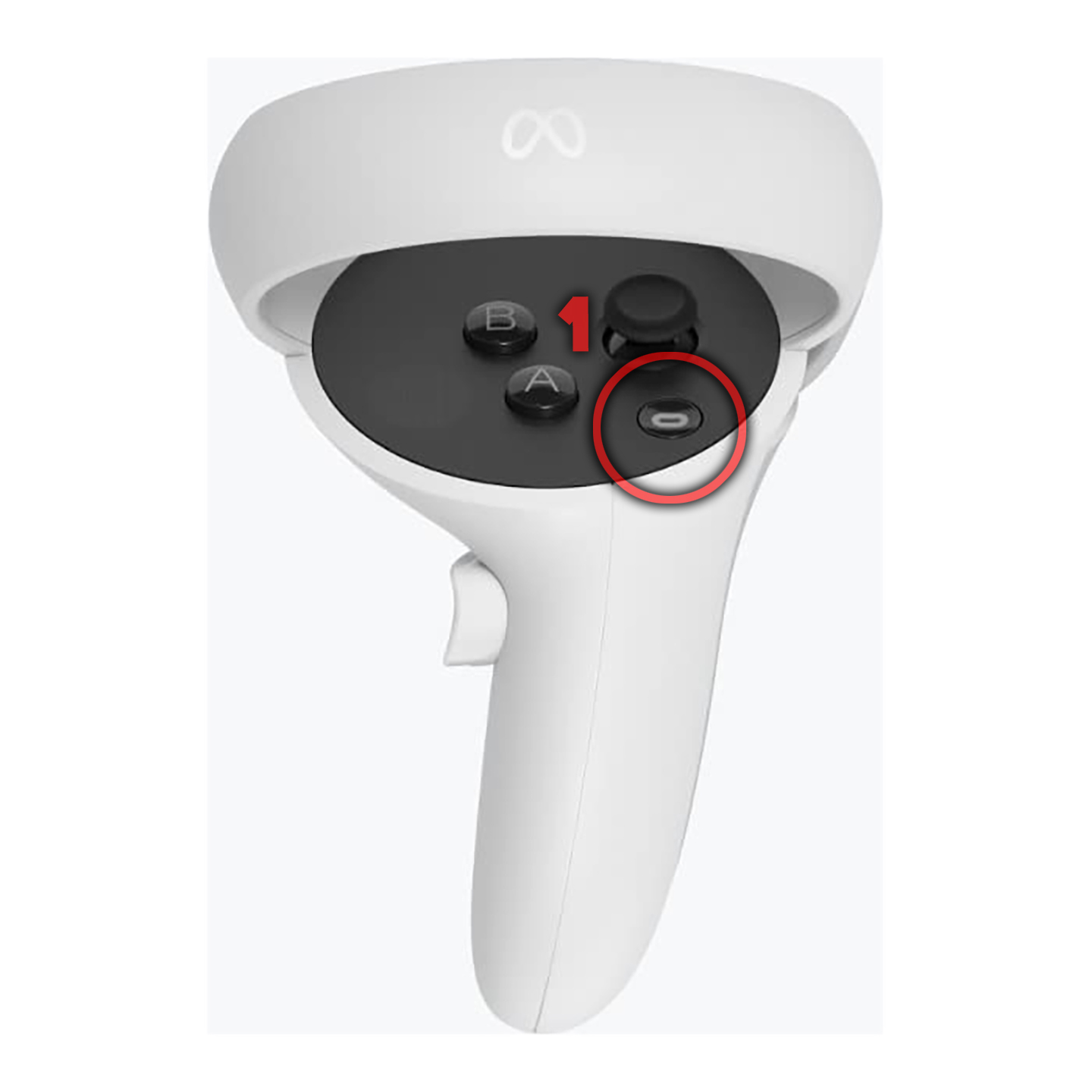
1 - Press the menu button on the right controller.
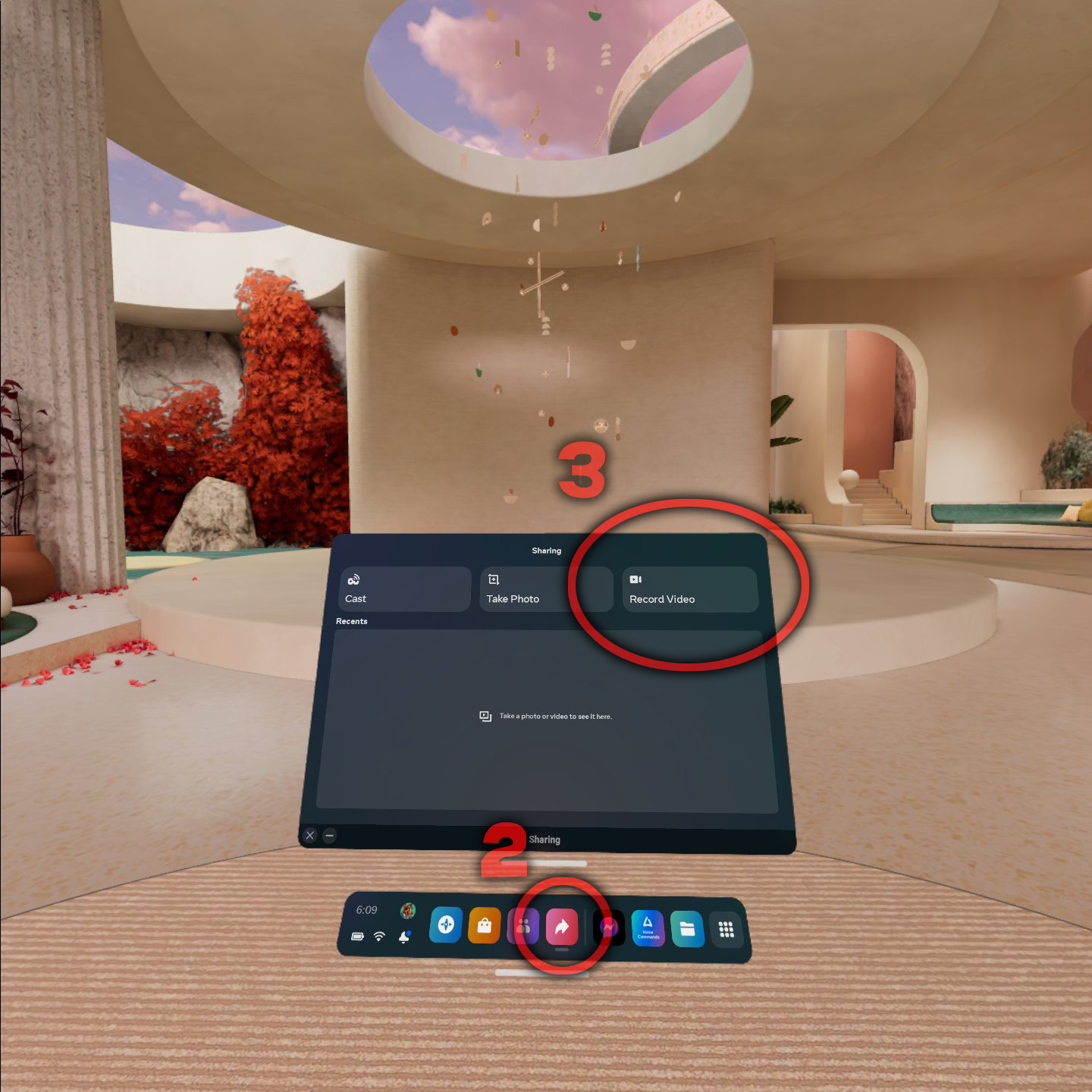
2 - Click the share icon in your Oculus Quest apps.
3 - Click the record video button to start recording.
4 - Show how you found the Easter Egg.
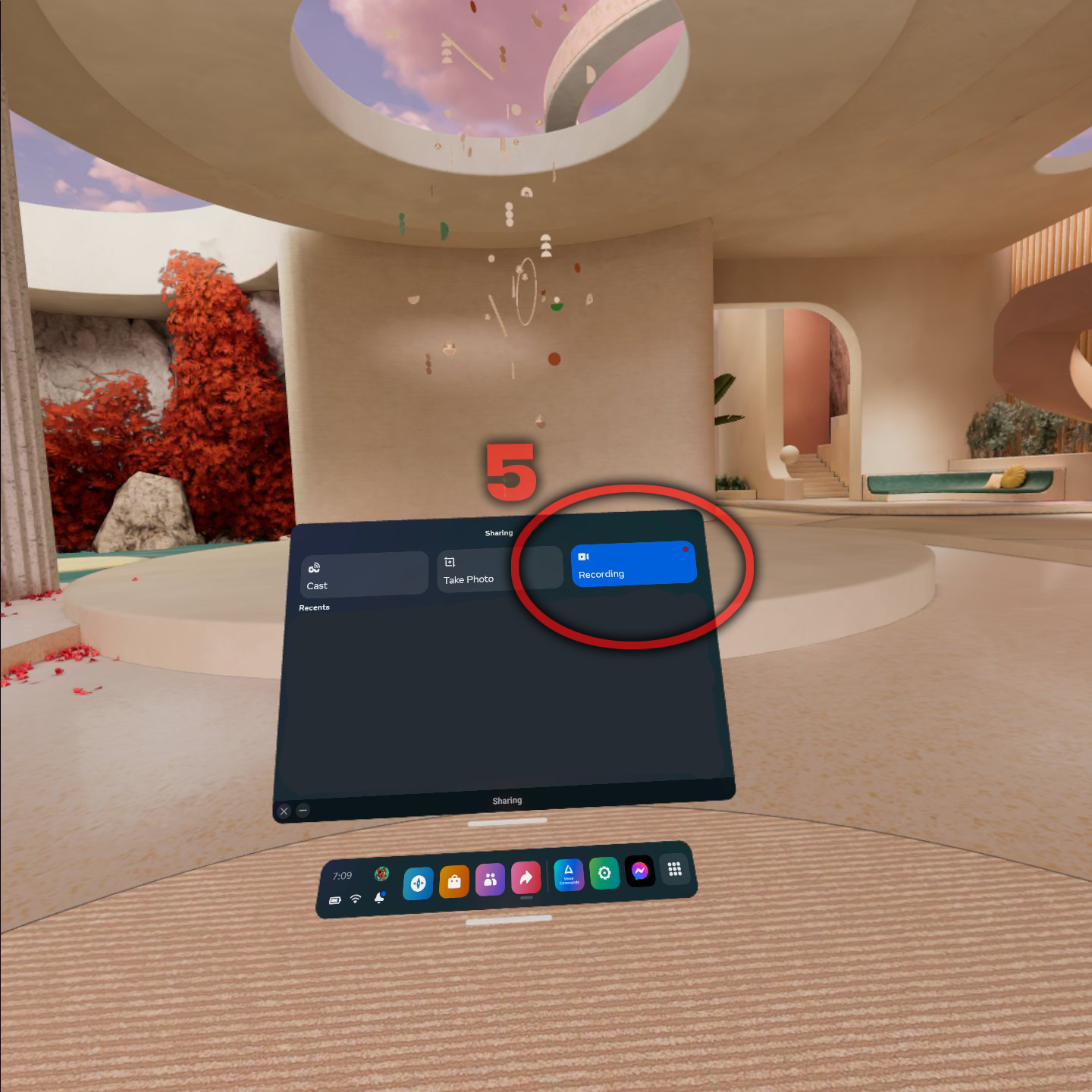
5 - Stop the recording by pressing the menu button on the right controller and pressing the stop recording button.
Send The Video
Send the video using the messenger app on Oculus Quest.
1 - Select the video.
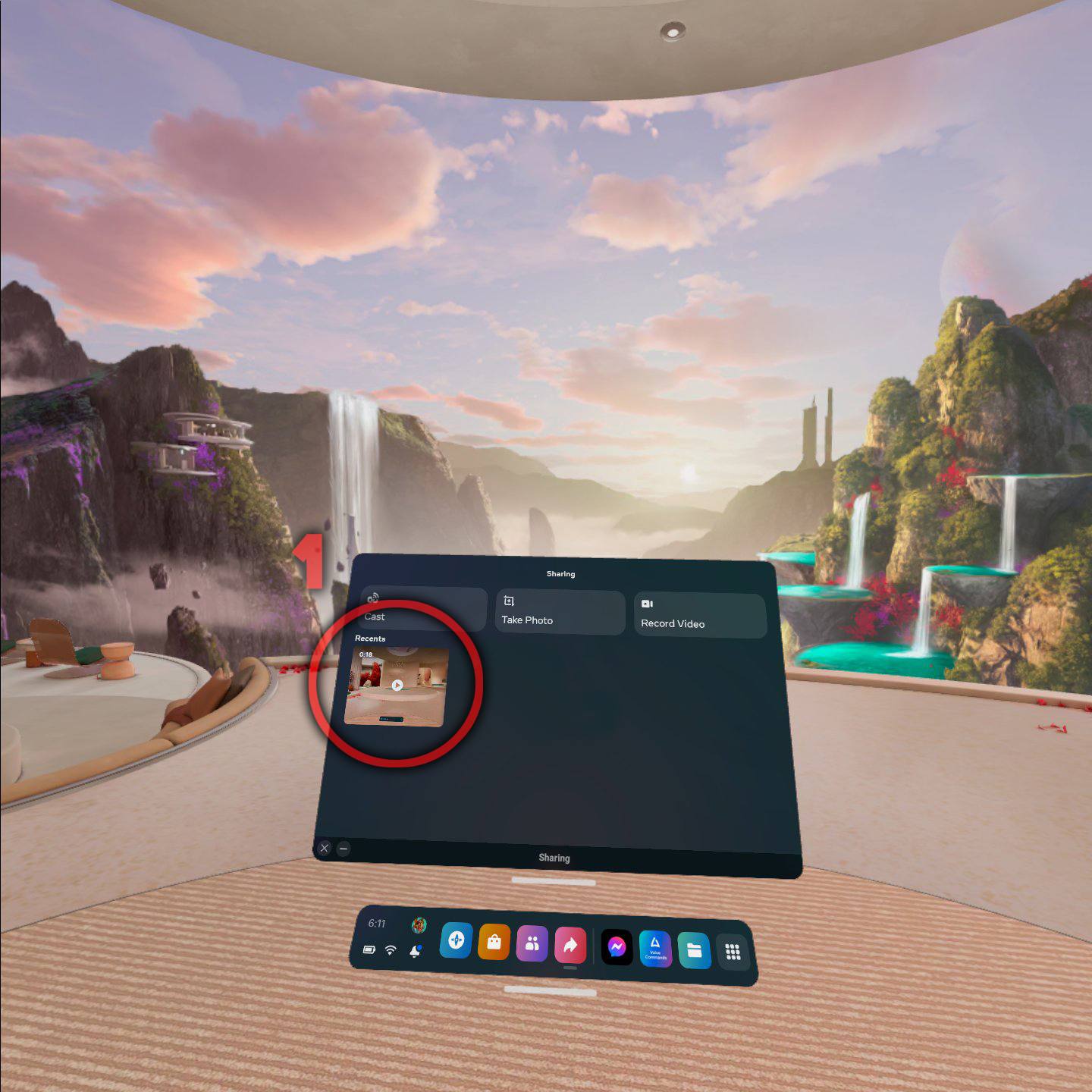
2 - Click on the share button.
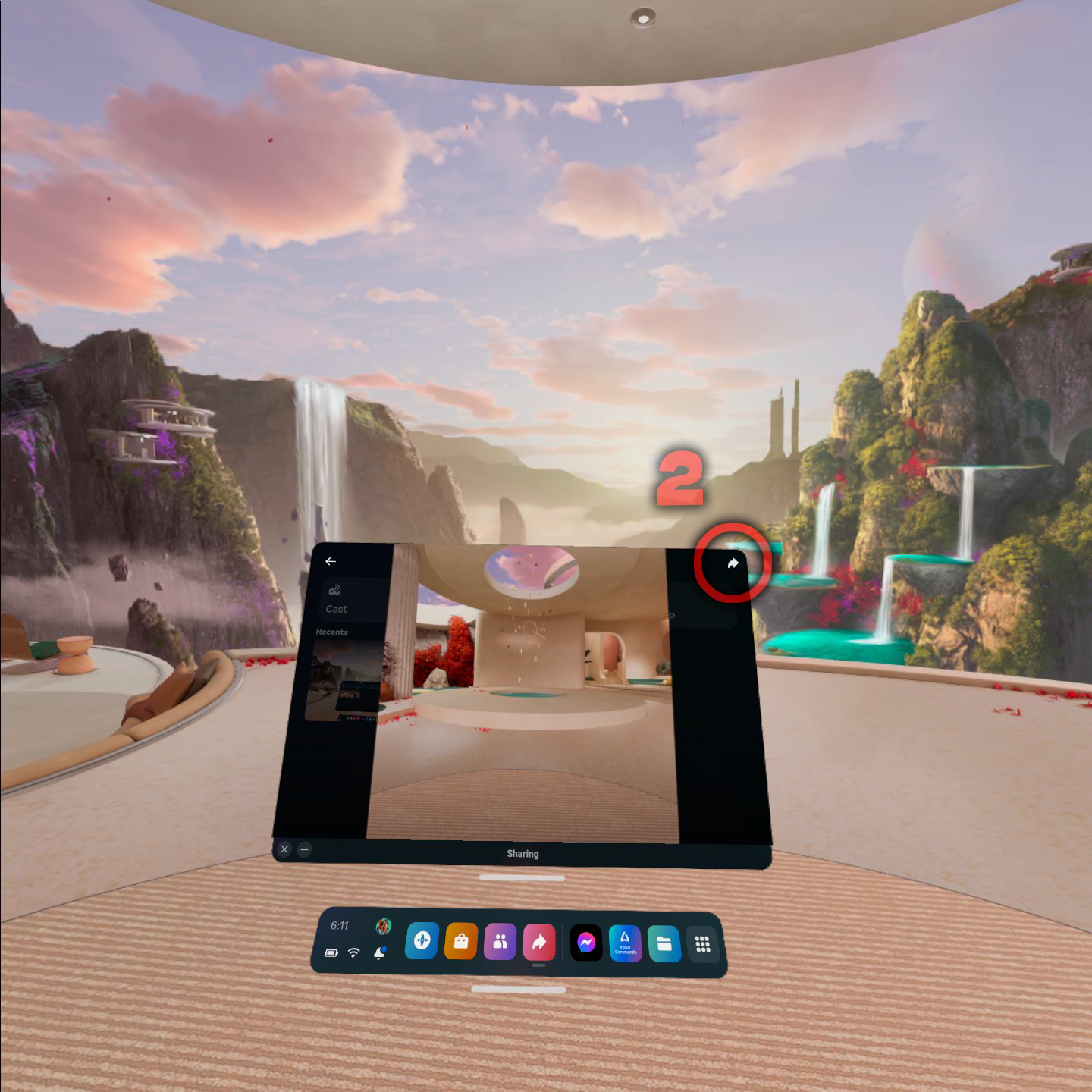
3 - Select messenger.
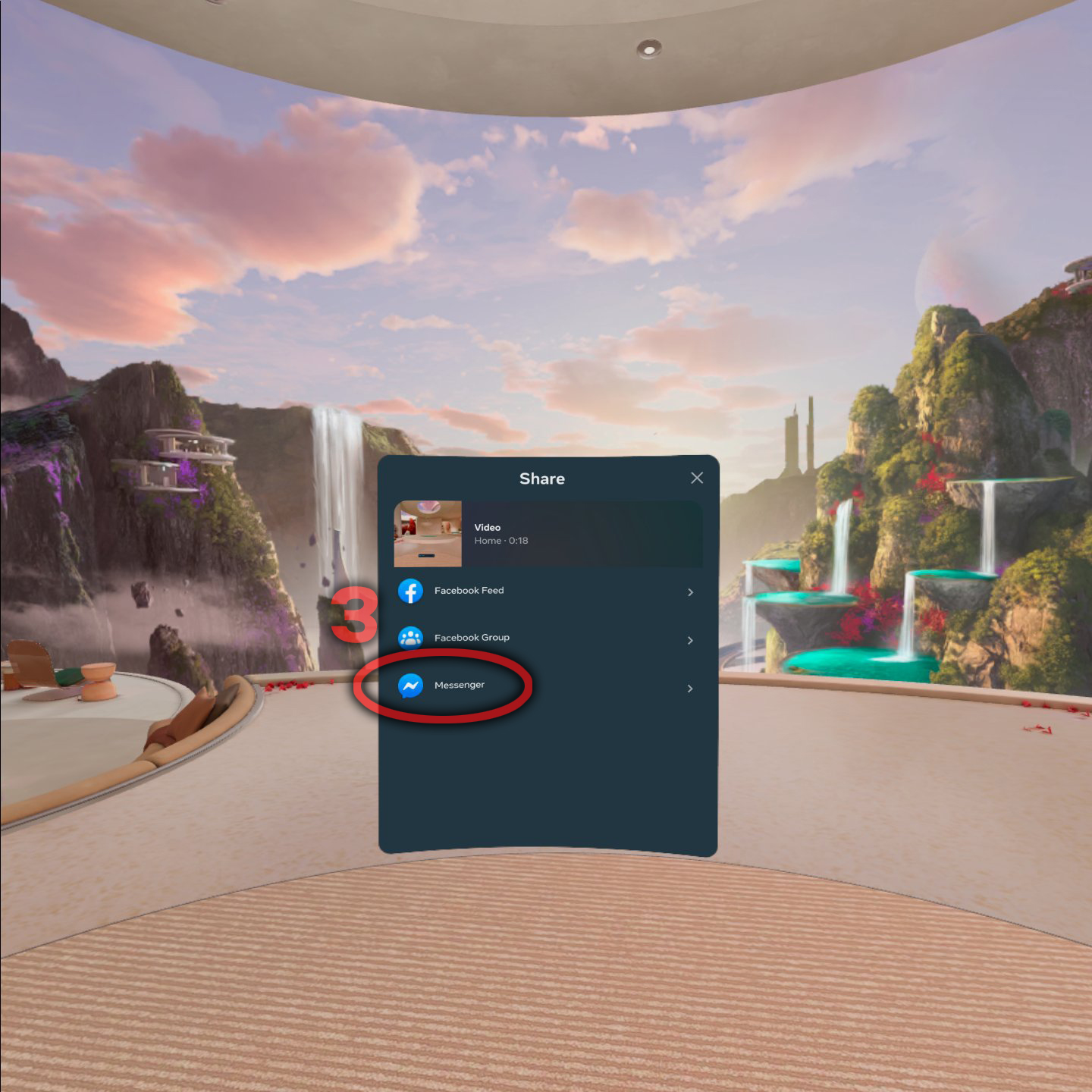
4 - Search for "SuperSubatomicGames".
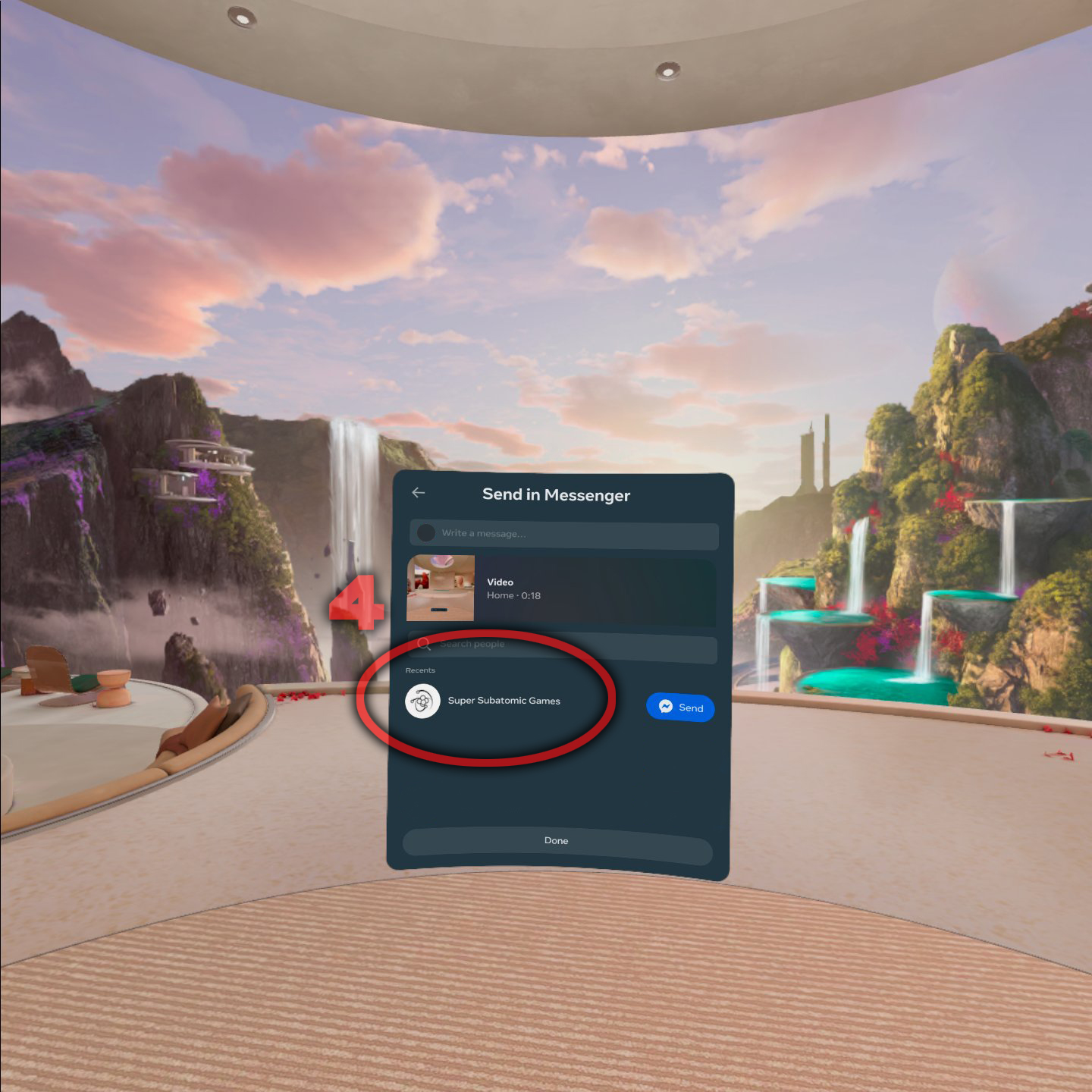
5 - Click the send button.
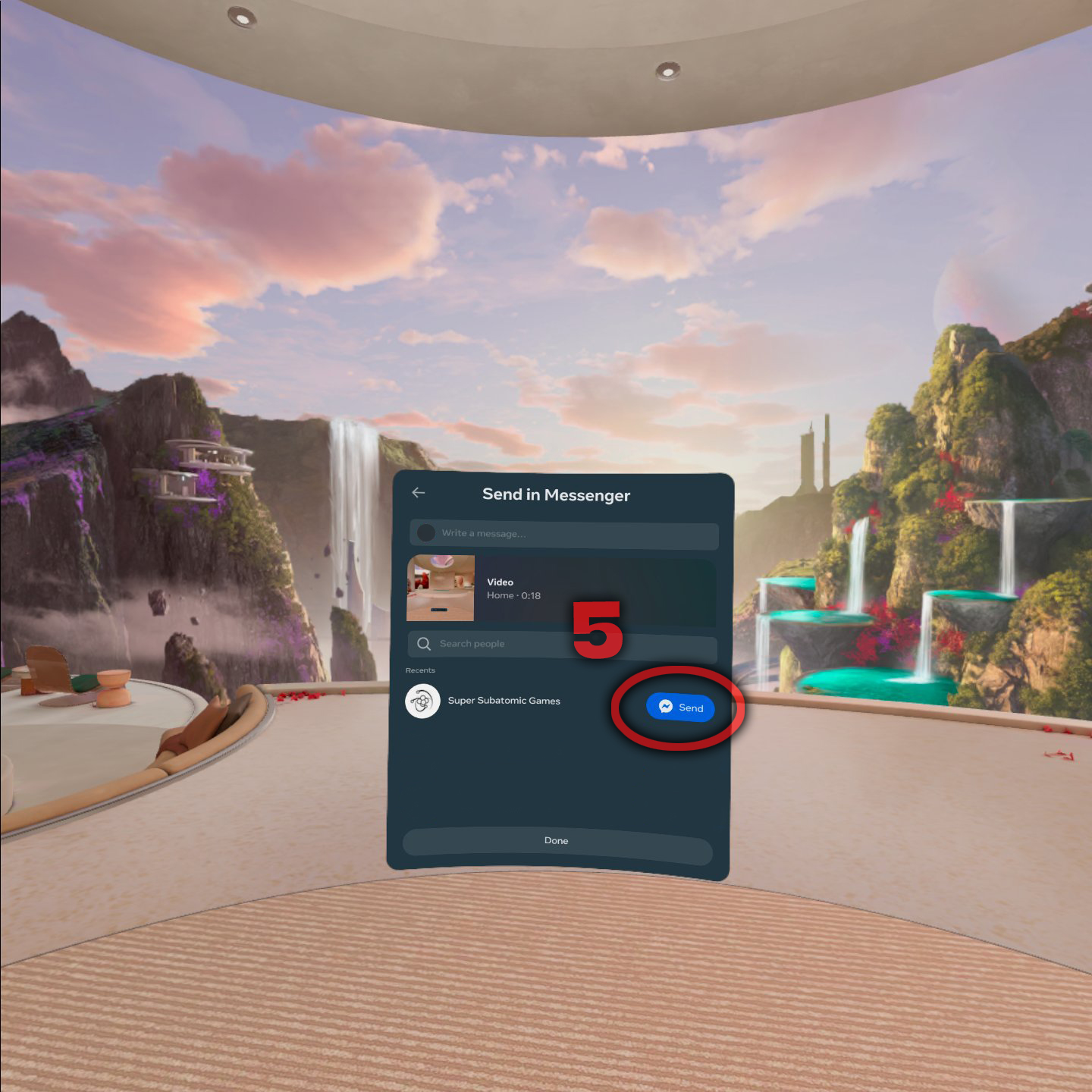
6 - Send another message saying "Easter Egg Hunt Contest".
7 - Send one more message with an email or phone number so we can contact you.
Contact:
Discord
https://discord.com/
Facebook
http://facebook.com
Instagram
https://www.instagram.com/
supersubatomicgames/
Web
http://supersubatomicgames.com/
